The Cheap HDMI-to-VGA Adapter's Audio Glitch? Here's the Surprisingly Simple Fix.
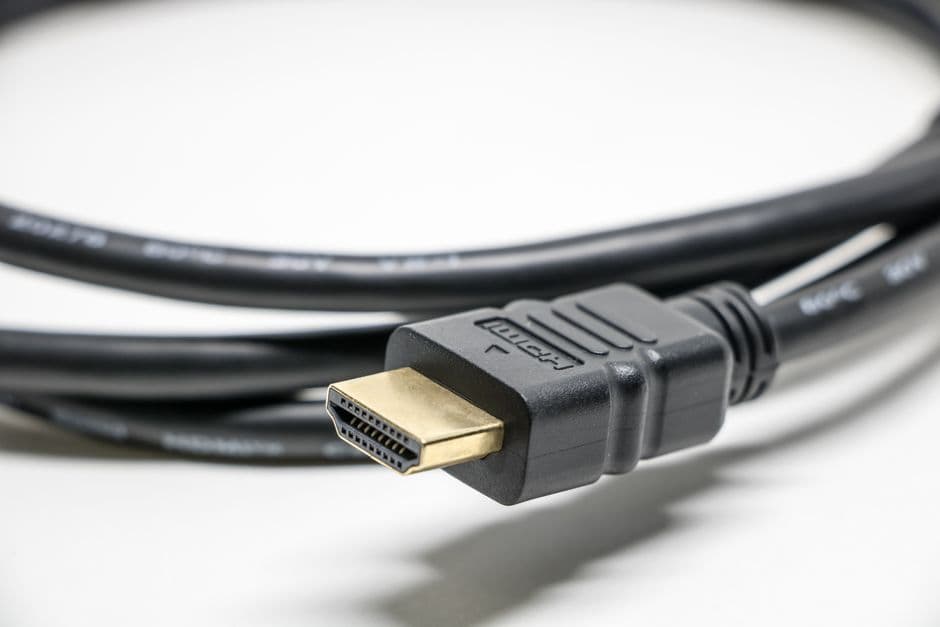
That budget HDMI-to-VGA adapter you grabbed? It might be failing your audio. Discover the surprisingly straightforward DIY solution that can rescue your multimedia experience.
Alright, let's talk about that sneaky little adapter. You know the one – the HDMI-to-VGA converter you picked up because your shiny new graphics card has all HDMI outputs, but your trusty old monitor is rocking that decidedly analog VGA port. It's the budget-conscious move, the pragmatic bridge between old and new. And for the most part, it gets the job done. The video signal is there, your ancient display lights up, and you can finally see that game or presentation. But then, you hit play. And the audio… well, the audio is often a mess. A crackly, distorted, barely-there mess.
This isn't a rare bug; it's practically a feature of many bargain-bin HDMI-to-VGA adapters. They’re designed to convert the digital video stream into an analog format, and they do that reasonably well. But what about the audio? Often, these adapters simply don't pass through any audio. Or worse, they try, and the resulting signal is so degraded it’s unusable. The expectation, when you buy an HDMI-to-VGA adapter with an audio jack, is that it will handle audio. The reality is a bit more complicated.
The fundamental issue lies in how these adapters are designed and, frankly, how cheaply they're made. HDMI is a digital standard carrying both audio and video. VGA is purely analog video. To bridge this gap, you need a converter. For the video, that’s relatively straightforward. But handling the digital audio signal from HDMI and converting it to a usable analog output – usually a 3.5mm audio jack – requires more complex circuitry. Cheaper adapters often cut corners here. They might rely on rudimentary digital-to-analog converters (DACs) or, in some cases, simply omit the necessary components for a robust audio pass-through, expecting you to route your audio separately.
So, what’s the solution when your adapter fails at its audio promise? You could, of course, buy a more expensive, presumably better-quality adapter. But honestly, the difference in quality from a $10 adapter to a $30 adapter isn't always night and day when it comes to audio. You might find yourself shelling out more cash for marginal improvements. Or, you could embrace a little bit of DIY. And surprisingly, the fix for this common audio glitch is often simpler than you might think.
Let’s get this straight: we’re not talking about intricate soldering or deep electronics knowledge here. This is about understanding how your existing cables and ports can be used more effectively, often with a single, inexpensive addition. The key is to bypass the adapter’s faulty audio handling altogether and route the audio directly from your source device.
Here’s how it works, and why it's so effective. Most computers, laptops, and even some streaming devices that output HDMI also have a separate, dedicated analog audio output – usually that familiar 3.5mm headphone jack. This port is designed specifically to output clean, analog audio. The HDMI-to-VGA adapter, in its budget form, is trying to receive an audio signal over HDMI (which it may or may not do well) and then output it. Instead, we’re going to give it a chance to fail gracefully by telling it we don’t need its audio services.
The magic ingredient in this DIY fix is a simple audio cable. Not a fancy one, just a standard 3.5mm male-to-male stereo audio cable. Think of the kind you might use to connect your phone to a car stereo or an old portable speaker. You can find these everywhere, from electronics stores to dollar stores, usually for less than the cost of a cup of coffee.
Here's the setup:
- Connect your HDMI cable from your source device (computer, console, etc.) to the HDMI input of your HDMI-to-VGA adapter.
- Connect your VGA cable from the VGA output of the adapter to your monitor. This handles your video signal.
- Now, take your 3.5mm male-to-male audio cable. Plug one end into the headphone or audio output jack on your source device.
- Plug the other end of the 3.5mm audio cable into the audio input jack on your monitor. Most monitors that have VGA inputs will also have a corresponding 3.5mm audio input jack, often located near the VGA port itself. This is crucial. If your monitor doesn't have an audio input jack, this specific fix won't work directly with the monitor. In that case, you'd need to connect the audio cable to external speakers or a soundbar.
By doing this, you’re telling your computer or source device, "Hey, I’m using a separate audio connection. Ignore whatever you might be trying to send over HDMI for audio, or at least don’t worry about it being converted by the adapter." The HDMI-to-VGA adapter is now only responsible for the video conversion, a task it’s generally better equipped to handle. The audio signal is traveling the most direct route from its source to your speakers or headphones, bypassing the adapter’s questionable audio circuitry entirely.
I’ve personally encountered this issue multiple times when setting up older displays for secondary monitors or for retro gaming rigs. The frustration of getting a picture but no sound is maddening. Trying different adapters often yielded similar results – slight variations in crackle and pop, but no clear audio. It was only when I started treating the audio and video signals as entirely separate streams that the problem resolved itself. The first time I tried the direct 3.5mm cable connection, I remember thinking it was too simple to work. But there it was: clear, crisp audio from my PC, perfectly synchronized with the video on my old LCD. No distortion, no dropouts. It was a revelation in its sheer, unadulterated simplicity.
It’s a testament to how many of these budget adapters are designed. They focus on the video conversion because that’s the primary pain point for most users wanting to bridge HDMI and VGA. The audio is often an afterthought, tacked on with minimal componentry, leading to the glitches we see. It’s not that the technology is inherently flawed; it’s that the implementation in budget devices is often less than optimal.
For those of you who are a bit more adventurous, or perhaps have an adapter that’s almost there but still a bit noisy, you might explore the concept of active HDMI-to-VGA converters. These are typically more expensive and contain more sophisticated circuitry, including dedicated DACs, to handle both video and audio conversion properly. They’re a more integrated solution. However, for many, the passive adapter plus a direct audio cable is the more cost-effective and surprisingly reliable path to functional sound.
So, before you toss that cheap HDMI-to-VGA adapter or spend money on a supposed "premium" model, try the direct audio cable route. It’s a simple, verifiable fix that leverages the ports you already have and bypasses the weakest link in many budget conversion setups. It’s the kind of practical, no-frills solution that saved my sanity more than once and will likely save yours too. Sometimes, the best tech upgrade isn't a new gadget, but a smarter way to use the ones you already own.