I Dug Through Every Audio Setting on a Fire TV Stick — Here's What Actually Matters
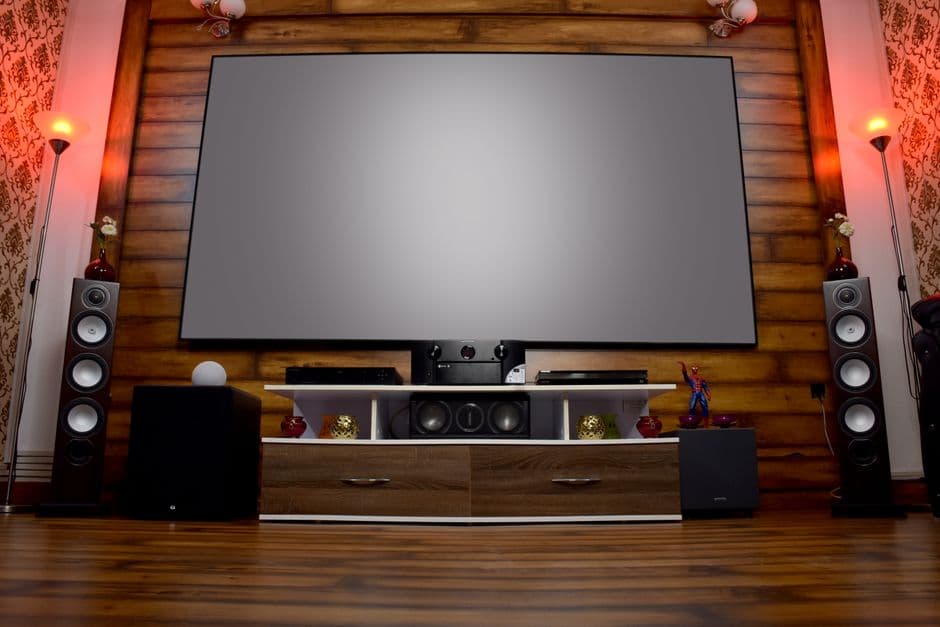
With Fire TV Sticks on sale and landing under a lot of TVs this week, I went into the audio settings menu that almost nobody touches to find out what's actually worth changing.
Amazon's discounting the Fire TV Stick 4K, the 4K Max, and bundling in Anker and Zolo gear right now (The Verge), which means a bunch of these things are about to get plugged into TVs and soundbars this week by people who will never, ever open the audio settings menu. That's a shame, because that menu is doing more damage — or more good — than the stick itself.
I've spent enough years standing in front of PA systems trying to make a room sound less terrible to know that the gear matters way less than people think, and the settings matter way more. So I went through every audio option Fire TV OS buries in its menus, on a few different sound setups, and figured out which ones actually change what you hear and which ones are just there to make the box look sophisticated.
Dolby Digital Plus vs. Atmos: the toggle that actually matters
This is the one setting worth caring about. Fire TV gives you options that range from stereo up through Dolby Digital Plus and, on content and gear that support it, Dolby Atmos. The difference isn't subtle once you know what to listen for — it's not "wider soundstage," it's whether height and surround information actually gets sent to your speakers instead of getting folded down into a plain stereo mix and handed to your soundbar to fake.
If your soundbar or AVR supports Atmos, letting the Fire Stick pass that signal through instead of downmixing it is the single biggest lever in the whole menu. If you're on a basic soundbar or your TV's built-in speakers, Atmos does nothing for you and can occasionally sound worse because the box is trying to render height cues through hardware that has no way to reproduce them. Match the setting to your actual speakers, not to the format that sounds more impressive on the box.
Dialogue boost is the setting nobody knows exists and everybody needs
If there's one feature I'd bet most people would use immediately if they knew it was there, it's the dialogue enhancement option buried in the accessibility-adjacent part of the audio menu. Movie mixes — especially anything mixed for a theater with a properly calibrated center channel — routinely bury dialogue under music and effects on home systems that don't have that same acoustic space to work with. That's not your hearing going, that's the mix assuming speakers you don't own.
Turning on dialogue boost doesn't just turn up the volume — it's shifting the balance of the mix toward vocal frequencies, which is a different thing than just cranking the remote. On soundbars without a dedicated center channel, this is the closest thing to a free upgrade in the entire settings menu. I'd take this over Atmos for most living rooms, honestly, because clarity beats size for the way most people actually watch TV — half-listening, doing something else, catching dialogue in fragments.
Downmixing: the setting quietly ruining your sound without you knowing
Downmixing is what happens when your Fire TV Stick is sending a surround or object-based signal to a system that can only handle stereo, and it has to collapse all those channels down into two. Fire TV OS does this automatically depending on what output format you've selected, and the default behavior on a lot of setups is more conservative than it needs to be — meaning you might be getting a flattened stereo mix over HDMI when your soundbar could've handled the full multichannel signal just fine.
The fix isn't complicated: match your Fire TV's audio output setting to what your actual sound system supports, not what sounds premium. If you've got a 2.1 soundbar, set it for that and let the Fire Stick do the downmix properly instead of guessing. If you've got a real Atmos setup, tell it that explicitly instead of leaving it on "auto" and hoping the handshake goes right — HDMI audio handshakes are notoriously flaky, and I've had sticks default to a lesser format simply because a TV in the chain didn't report its capabilities cleanly.
The stuff that's basically decoration
There are a handful of toggles — audio description tracks, some legacy stereo/mono switches, format-specific passthrough options for older receivers — that exist because Fire TV OS needs to support every device configuration Amazon has ever shipped, not because you need to touch them. Unless you're running an older AVR that specifically requires bitstream passthrough for a format your soundbar doesn't natively decode, leave them alone. They're not hurting you, but they're also not the reason your movie sounds muddy.
What to actually do with this
If you're one of the people about to unbox a new stick because of this sale, spend the five minutes: set your audio output to match your actual speakers, turn on dialogue boost and see if you like it, and only chase Atmos if your soundbar can genuinely do something with it. None of this costs anything, and it's a bigger jump in sound quality than most people get from replacing the soundbar itself.